

Job application email format is the single most important skill every job seeker in India must master in 2026 — because the average application-to-interview rate has dropped to just 2–3%, meaning recruiters spend less than 10 seconds deciding whether your email deserves their attention. Whether you are a fresher applying for your first role or an experienced professional switching careers, a poorly structured email will get you ignored before the recruiter even opens your resume. This complete guide is for students, freshers, and working professionals in India who want to write job application emails that actually get replies.

This guide covers the exact format of a job application email, 7 copy-paste templates for different scenarios, subject line formulas, common mistakes to avoid, attachment rules, and a step-by-step checklist — everything you need to hit Send with confidence in 2026.
A job application email in 2026 must have a clear subject line (Job Title + Your Name), a 150–250 word body covering who you are and why you fit the role, and your resume attached as a PDF named “YourName-Resume.pdf”. Keep it professional, tailored to the company, and always proofread before sending.
- Ideal Email Length: 150–300 words (4–6 short paragraphs)
- Best Subject Line Format: “Application for [Job Title] – [Your Full Name]”
- Attachment Format: PDF only (preserves formatting across all devices)
- Best Time to Send: Tuesday to Thursday, 8 AM–10 AM recipient’s time zone
- Application-to-Interview Rate (2026): 2–3% (you need a standout email)
- Follow-Up Window: Send 1 polite follow-up after 7–10 business days
- Professional Email Address: firstname.lastname@gmail.com format
- Mandatory Sections: Subject line · Salutation · Opening para · Body · CTA · Signature
- What Is a Job Application Email and Why It Matters in 2026
- Who Should Use This Guide
- Complete Job Application Email Format – 7 Core Parts
- How to Write the Perfect Subject Line for a Job Application
- How to Write a Job Application Email – Step-by-Step Process
- 7 Ready-to-Use Job Application Email Templates
- Resume Attachment Tips – Format, Name, and File Size
- Job Application Email vs Cover Letter – Key Differences
- Pros and Cons of Sending a Job Application by Email
- Important Terms Related to Job Application Emails
- 7 Common Mistakes That Get Your Application Deleted
- Important Links
- Conclusion
- Key Takeaways
- Frequently Asked Questions
What Is a Job Application Email and Why It Matters in 2026
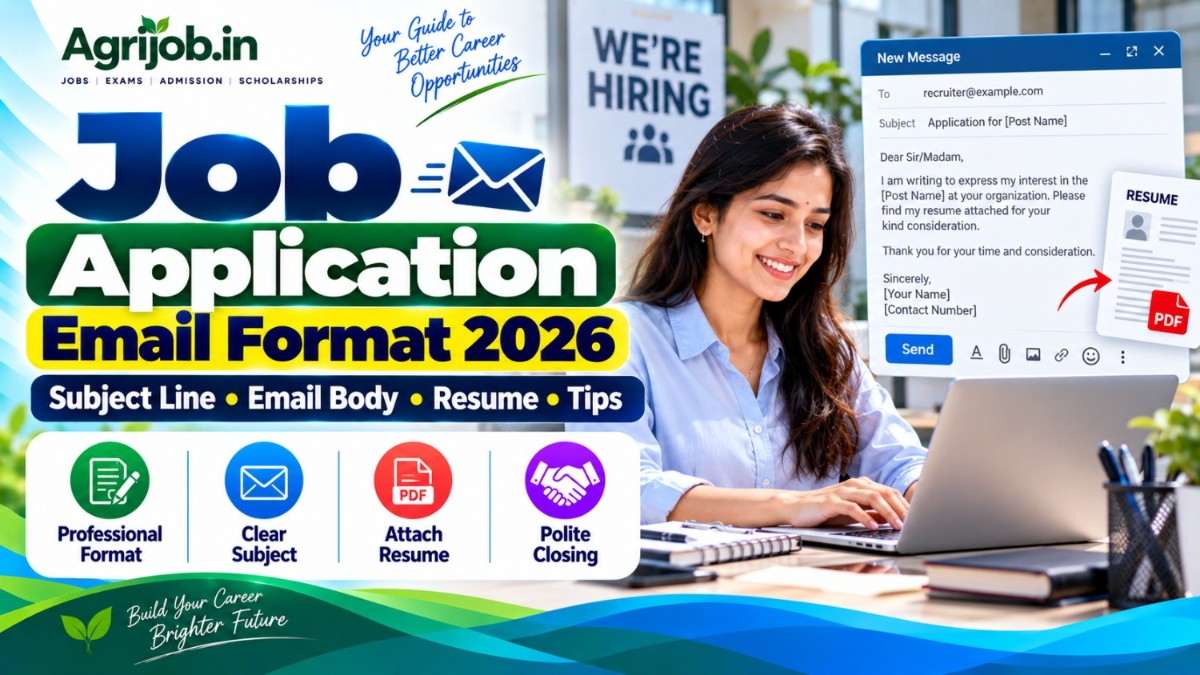
A job application email is a professional message sent directly to a hiring manager or HR department to express interest in a job opening and submit application materials — typically a resume and sometimes a cover letter. Unlike applying through an online ATS portal, a job application email lands directly in a real person’s inbox, making the quality of your writing immediately visible.

In 2026, recruiters increasingly triage applications from their smartphones between meetings. The first screen is not your resume — it is your subject line, your sender name, and the first two lines of your email body. If those do not immediately signal relevance, your application is deleted before the resume is even opened. With the average job application response rate sitting at just 2–3% for generic applications, a properly structured email can be the single biggest differentiator between getting an interview call and hearing silence.
In India specifically, HR professionals often shortlist candidates by reading the job application email before downloading the resume. A well-written email to HR for a job demonstrates communication skills, attention to detail, and professionalism — qualities that every employer values from day one.
Who Should Use This Job Application Email Guide
- 🎓 Final-year students and fresh graduates applying for their first job and unsure how to write a professional email to HR
- 👨💼 Experienced professionals switching companies or sectors who want to update their job application email approach for 2026
- 🌾 Agriculture and rural job seekers in India applying for government schemes, NABARD, ICAR, or state agriculture department vacancies
- 🏛️ Government job aspirants sending applications to official departments that accept email submissions
- 💻 Remote and work-from-home job seekers applying to companies that use email as the primary application channel
- 🔄 Career changers who need to explain a transition clearly in an email without writing a three-page letter
- 📱 Job seekers applying via phone who need a simple, mistake-free template they can use on the go
- 🧑🏫 Students appearing for competitive exams who need the correct job application email format for formal writing sections
Complete Job Application Email Format – 7 Core Parts
A complete job application email has 7 mandatory parts. Missing even one of these can reduce your chances of getting a reply. Here is the exact structure every email must follow:
| Part | What to Include | Ideal Length |
|---|---|---|
| 1. Subject Line | Job title + your full name + job ID if available | 6–10 words |
| 2. Salutation | Dear [Hiring Manager’s Name] / Dear HR Team | 1 line |
| 3. Opening Paragraph | Which role you are applying for + where you found the listing | 2–3 sentences |
| 4. Body Paragraph | Your top 2–3 qualifications and why you fit the specific role | 3–5 sentences |
| 5. Call to Action | Request for an interview / availability to discuss further | 1–2 sentences |
| 6. Professional Signature | Full name, phone number, email, LinkedIn / portfolio | 4–5 lines |
| 7. Attachments | Resume (PDF) + Cover Letter (PDF, if required) | Files named clearly |
How to Write the Perfect Subject Line for a Job Application Email
The subject line for a job application email is the first thing a recruiter reads — and it decides whether they open your email at all. A weak subject line like “Resume” or “Job Application” blends into the noise and often gets flagged as spam by company email filters. A strong subject line is specific, scannable, and immediately tells the recruiter who you are and what you want.
Use these proven subject line formulas for 2026:
| Scenario | Subject Line Formula | Example |
|---|---|---|
| Standard Application | Application for [Job Title] – [Your Name] | Application for Marketing Executive – Rahul Sharma |
| With Job ID / Reference | Application for [Job Title] – [Your Name] – Ref: [ID] | Application for Data Analyst – Priya Singh – Ref: DA2026 |
| Fresher / Entry-Level | [Job Title] – Fresher Application – [Your Name] | Junior Accountant – Fresher Application – Amit Verma |
| Experienced Professional | [Job Title] Application – [Your Name] – [X] Years Exp | Senior HR Executive Application – Neha Gupta – 5 Years Exp |
| Government / Agriculture Jobs | Application for [Post Name] – [Your Name] – [Qualification] | Application for Agriculture Officer – Ravi Kumar – B.Sc Agriculture |
| Referral Application | Application for [Job Title] – Referred by [Name] – [Your Name] | Application for Sales Manager – Referred by Suresh Patel – Ankita Roy |
Never write subject lines like “My Resume”, “Job Opportunity”, or “Application”. These are among the most common reasons emails get deleted unread. Always include the exact job title and your full name. If the job posting includes a reference number or job ID, always add it — it shows you read the posting carefully and helps the recruiter file your application correctly.
How to Write a Job Application Email – Step-by-Step Process
Follow these 8 steps every time you send a job application email. This numbered process triggers accuracy and ensures no section is missed:
- Research the company and role first. Read the job description carefully, note the hiring manager’s name if listed, and identify 2–3 skills the employer has specifically asked for. Your email body must reflect these exact requirements.
- Use a professional email address. Your sending address must follow the firstname.lastname@gmail.com format. Addresses like “coolboy2001” or “rockstar_rahul” are automatically rejected by professional recruiters and ATS systems.
- Write the subject line before the body. Craft your subject line first so it stays focused. Use the formula: “Application for [Job Title] – [Your Full Name]”.
- Open with the role name and where you found the posting. Your first sentence must name the exact position and the source — job portal, LinkedIn, referral, or company website. This confirms you are not mass-sending.
- Write 2–3 sentences connecting your qualifications to their requirements. Do not repeat your resume line by line. Pick the 2–3 most relevant qualifications and tie them directly to what the employer needs. For freshers, mention your degree, internship, or project work.
- Add a clear call to action. Close with one sentence requesting an interview or expressing availability: “I would be glad to discuss my application at your convenience.”
- Write a complete professional signature. Include your full name, phone number, email address, and LinkedIn profile or portfolio link. Never leave the signature blank.
- Attach resume as PDF, double-check, then send. Save your resume as “YourFullName-Resume.pdf” (e.g., “Rahul-Sharma-Resume.pdf”). Send a test email to yourself first to verify formatting and confirm the attachment is actually attached — forgetting to attach the file is the most common mistake in job applications.
7 Ready-to-Use Job Application Email Templates for 2026
Here are 7 copy-paste templates covering the most common job application scenarios in India. Customise the bracketed fields before sending — never send a template exactly as written.
Template 1 — Standard Job Application Email (Experienced Professional)
Subject: Application for [Job Title] – [Your Full Name]
Dear [Hiring Manager’s Name / HR Team],
I am writing to apply for the position of [Job Title] at [Company Name], as advertised on [Job Portal / LinkedIn / Company Website]. With [X] years of experience in [relevant field], I am confident that my background aligns well with the requirements of this role.
In my current role at [Current/Previous Company], I have [mention 1–2 specific achievements relevant to the job]. I am particularly drawn to [Company Name] because of [mention one specific reason — company values, a recent project, industry reputation].
Please find my resume attached for your review. I would welcome the opportunity to discuss how my experience and skills can contribute to your team. I am available for an interview at your convenience.
Thank you for your time and consideration.
Warm regards,
[Your Full Name]
[Phone Number]
[Email Address]
[LinkedIn Profile URL]
Template 2 — Job Application Email for Freshers (No Experience)
Subject: Application for [Job Title] – Fresher – [Your Full Name]
Dear [Hiring Manager’s Name / HR Department],
I am a recent graduate with a [Degree Name] from [University Name] and am excited to apply for the role of [Job Title] at [Company Name], as listed on [Source].
During my studies, I completed [mention internship / academic project / certification] where I developed skills in [list 2–3 relevant skills from the job description]. I am a quick learner, highly motivated, and eager to apply my academic knowledge in a professional setting.
My resume is attached. I would greatly appreciate the opportunity to speak with you about how I can contribute to [Company Name]. Please feel free to contact me at [Phone Number] or reply to this email.
Thank you for considering my application.
Sincerely,
[Your Full Name]
[Phone Number]
[Email Address]
[LinkedIn / Portfolio if available]
Template 3 — Job Application Email for Agriculture / Government Jobs
Subject: Application for [Post Name] – [Your Name] – [Qualification]
Dear Sir/Madam,
I am submitting my application for the post of [Post Name] as advertised by [Organisation Name / Department] vide notification no. [Notification Number, if available].
I hold a [Degree] in [Subject] from [University] and [mention any relevant experience, farm work, internship, or training]. I meet all the eligibility criteria specified in the official notification and have enclosed the required documents along with my resume.
I respectfully request you to consider my application and call me for further selection rounds. I assure you of my sincere efforts and dedication if given this opportunity.
Thanking you,
[Your Full Name]
[Address]
[Phone Number]
[Email Address]
Attachments: Resume, Certificates, Photo ID
Template 4 — Referral-Based Job Application Email
Subject: Application for [Job Title] – Referred by [Referrer’s Name] – [Your Name]
Dear [Hiring Manager’s Name],
I was referred to this opportunity by [Referrer’s Full Name], [Referrer’s position / relationship], who suggested I reach out directly regarding the [Job Title] opening at [Company Name].
I have [X years of experience / educational background] in [relevant field]. [Referrer’s Name] believed my background in [specific skill] would be a strong match for your team’s current needs. [Add 1–2 sentences about your most relevant achievement or skill.]
I have attached my resume for your review. I would be delighted to discuss how I can contribute to [Company Name] and am available for a call or meeting at your convenience.
Thank you for your time.
[Your Full Name] | [Phone] | [Email] | [LinkedIn]
Template 5 — Follow-Up Email After Applying
Subject: Follow-Up – Application for [Job Title] – [Your Name] – [Date Applied]
Dear [Hiring Manager’s Name],
I am writing to follow up on my application for the [Job Title] position submitted on [Date]. I remain very interested in this opportunity and wanted to confirm that my application was received.
I am happy to provide any additional information or documents that may assist in the review process. Please let me know if it would be possible to schedule a brief conversation at your convenience.
Thank you again for your time.
[Your Full Name] | [Phone] | [Email]
Template 6 — Cold Email Job Application (Unadvertised Role)
Subject: Enquiry for [Job Title / Department] Role – [Your Name]
Dear [Name] / Dear Hiring Team,
I am reaching out to express my strong interest in joining [Company Name] as a [Job Title]. I have been following your company’s work in [specific area] and am impressed by [specific achievement, product, or initiative].
I bring [X years / fresher background] in [field] with expertise in [2–3 specific skills]. I believe my background aligns with the kind of talent [Company Name] typically values. I have attached my resume and would welcome any opportunity to speak with you about potential openings, even if there is no current vacancy listed.
Thank you for taking the time to read this.
[Your Full Name] | [Phone] | [Email] | [LinkedIn]
Template 7 — Job Application Email After Career Gap
Subject: Application for [Job Title] – [Your Name] – Returning Professional
Dear [Hiring Manager’s Name],
I am applying for the role of [Job Title] at [Company Name]. After [brief reason for career gap — e.g., “completing a family commitment” / “pursuing a certification” / “health reasons”], I am now actively re-entering the workforce and am fully committed to contributing at a high level.
Prior to my break, I worked for [X years] in [industry], where I [brief achievement]. During this period, I also [updated skills, completed course, freelanced, volunteered — whichever applies]. I am confident my experience and refreshed perspective would be an asset to your team.
Please find my updated resume attached. I would appreciate the chance to speak with you further.
[Your Full Name] | [Phone] | [Email]
Resume Attachment Tips – Format, Naming, and File Size
Attaching the wrong file format or forgetting to attach the resume at all are among the most common job application mistakes in 2026. Follow these rules every single time:
- Always use PDF format. PDFs preserve your resume’s formatting on every device and operating system. Word files (.doc, .docx) may render differently on the recruiter’s end and break your layout.
- Name the file professionally. Use the format: “FirstName-LastName-Resume.pdf” (e.g., “Rahul-Sharma-Resume.pdf”). Never send a file named “resume_final_v3.pdf” or “my_cv.pdf”.
- Keep file size under 2 MB. Large files may be blocked by company email servers. Compress your PDF if needed using a free tool like Smallpdf or ilovepdf.com.
- Send yourself a test email first. This confirms the attachment is actually attached, your subject line renders correctly, and there are no formatting issues in the email body.
- For government jobs in India, some departments still ask for scanned certificates in addition to the resume. Check the official notification for the exact list of required documents before sending.
Job Application Email vs Cover Letter – Key Differences
Many job seekers confuse the job application email with a cover letter, or try to combine both into one unnecessarily long message. Here is how the two differ:
| Feature | Job Application Email | Cover Letter |
|---|---|---|
| Length | 150–300 words | 300–600 words (full page) |
| Purpose | Brief introduction + submit materials | Detailed argument for why you are the right fit |
| Format | Short paragraphs in email body | Formal letter format, attached as PDF |
| Tone | Professional but concise | More detailed and persuasive |
| When Both Required | Email body = brief intro | Cover letter = attached separate document |
| When Only Email Required | Email body serves as full application message | Cover letter not sent |
| India Practice (2026) | Most private sector jobs — email body as cover note is sufficient | Government jobs, senior roles, international applications |
For most private sector and startup jobs in India, a well-written 200-word email body with a clean resume PDF is more effective than sending a long cover letter nobody asked for. Save the detailed cover letter for government positions, senior leadership roles, and international applications where it is explicitly requested.
Pros and Cons of Sending a Job Application by Email
- ✅ Direct access to decision-makers — Your email lands in a real person’s inbox, bypassing ATS filtering that rejects 70%+ of online portal applications
- ✅ Faster response turnaround — Email applications often get reviewed within 24–48 hours versus 1–2 weeks on job portals
- ✅ Opportunity to show communication skills immediately — A well-written email is itself proof of your written communication ability
- ✅ Works for cold outreach — Email lets you approach companies proactively even when no vacancy is advertised
- ✅ Easy to personalize per company — Unlike portal applications, you can tailor every email specifically to the company and role
- ❌ No automatic tracking — Unlike job portals, you won’t get status updates unless you follow up manually
- ❌ Risk of landing in spam — Generic subject lines and large attachment files may trigger spam filters
- ❌ Hard to stand out in high-volume roles — Popular companies receive hundreds of email applications per day; weak emails disappear
Important Terms Related to Job Application Emails
Understanding these key terms will help you write better job application emails and navigate the hiring process more confidently:
- ATS (Applicant Tracking System): Software used by companies to filter and manage job applications. Even email applications at large companies are sometimes run through ATS. Use clean formatting and role-specific keywords to avoid being filtered out.
- HR / Human Resources: The department responsible for hiring in most Indian companies. Address your email to the HR Manager or HR Department when the specific hiring manager’s name is not listed.
- Job Reference Number: A unique code assigned to a job posting. Always include it in your subject line when provided — it helps recruiters sort applications instantly.
- Cover Letter: A formal document (attached separately) that elaborates on your qualifications and motivation in more detail than the email body.
- Cold Email Application: Sending a job application to a company that has not advertised a specific vacancy. Effective when targeted to the right person with a clear value proposition.
- Professional Email Signature: The block at the end of every email containing your name, phone, email, and LinkedIn profile. A missing or incomplete signature is a red flag for recruiters.
- PDF (Portable Document Format): The required file format for resumes in 2026. Preserves formatting across all devices and operating systems — always preferred over Word (.docx) for resume attachments.
- Follow-Up Email: A polite reminder sent 7–10 business days after your original application if you have not received a response. Keep it brief and professional.
7 Common Job Application Email Mistakes to Avoid in 2026
These are the most frequent reasons job application emails get deleted or ignored by HR professionals:
- Generic or blank subject line. Subject lines like “Job Application,” “Resume,” or “My CV” are among the top reasons emails get deleted instantly. Always include the job title and your name.
- Forgetting to attach the resume. Mentioning “please find my resume attached” without actually attaching the file is the single most embarrassing and common mistake. Always send a test email to yourself first.
- Using the same email for every company. Sending an identical, generic email to 50 companies is immediately obvious and signals laziness. Customise at minimum the company name, role title, and one specific reason you are interested in that company.
- Unprofessional email address. If your sending address looks like “partylover99@gmail.com”, create a professional email account (firstname.lastname@gmail.com) before applying anywhere.
- Email body too long. Emails over 400 words lose recruiter attention fast. Keep the body between 150–300 words. If you need more space, attach a cover letter instead.
- No call to action or closing. Ending an email without requesting an interview or expressing next steps leaves recruiters unsure how to respond. Always close with a clear CTA.
- Spelling mistakes and typos. Errors in a job application email signal poor attention to detail — the exact opposite of what every employer wants. Read your email aloud before sending and use a spell-check tool.
Important Links for Job Application Resources
| Resource | Link |
|---|---|
| National Career Service Portal (India) — Official Government Job Portal | ncs.gov.in |
| Ministry of Labour & Employment — Government of India | labour.gov.in |
| NABARD Recruitment — Official Vacancies | nabard.org/careers |
| ICAR Recruitment — Agriculture Research Jobs | icar.org.in/recruitment |
| India.gov.in — Government Job Listings | india.gov.in/employment |
Conclusion — Final Thoughts on Job Application Email Format 2026
A strong job application email format is no longer optional in 2026 — it is the baseline expectation of every recruiter in India and globally. With application-to-interview rates as low as 2–3%, the quality of your email, subject line, and attachment can make the difference between an interview call and permanent silence. Use the 7 templates in this guide, follow the 8-step writing process, and avoid the 7 most common mistakes — and you will already be ahead of 90% of applicants in your category.
Bookmark this page and return to it each time you apply for a new role. We update this guide regularly to reflect the latest hiring practices. For government agriculture job openings in India, visit our Agriculture Jobs section at Agrijob.in for the latest vacancies with direct application links.
- The ideal job application email is 150–300 words — concise, professional, and tailored to the specific role and company
- Your subject line must always include the exact job title and your full name; generic subjects like “Resume” get deleted instantly
- Always attach your resume as a PDF named “YourName-Resume.pdf” and send a test email to yourself before applying
- The application-to-interview rate in 2026 is just 2–3% for generic applications — a customised email can increase your response rate significantly
- For government and agriculture jobs in India, use a formal salutation (“Dear Sir/Madam”), mention the notification number, and list all required documents in the attachment section
- Send a polite follow-up email after 7–10 business days if you receive no response — one follow-up is professional, two or more is excessive
Frequently Asked Questions About Job Application Email Format 2026
What is the correct format for a job application email?
A correct job application email format includes 7 parts: subject line, salutation, opening paragraph (role + source), body paragraph (2–3 relevant qualifications), call to action (interview request), professional signature (name, phone, email, LinkedIn), and a PDF resume attachment. The total email body should be between 150–300 words — concise, professional, and customised per company.
How do I write a subject line for a job application email?
The best subject line format is: “Application for [Job Title] – [Your Full Name]”. If the job posting includes a reference number, add it: “Application for Marketing Manager – Rahul Sharma – Ref: MM2026”. For freshers, add your qualification: “Junior Developer – Fresher – B.Tech CS – Priya Singh”. Avoid vague subjects like “Job Application” or “Resume” — these are filtered out by most professional email systems.
Should I write a cover letter or use the email body for my job application?
For most private sector jobs in India, a well-written 200-word email body that introduces you and your key qualifications is sufficient — you do not need a separate cover letter unless explicitly requested. For government jobs, senior-level positions, or international applications, attach a formal cover letter as a separate PDF document in addition to your resume. When both are required, keep the email body short and let the cover letter carry the detail.
What file format should I use when attaching a resume to a job application email?
Always send your resume as a PDF file. PDF preserves your resume’s formatting across all devices and operating systems — the recruiter sees exactly what you designed. Name the file professionally: “YourFirstName-LastName-Resume.pdf”. Avoid sending Word documents (.doc or .docx) unless the employer specifically asks for it, as Word files may render differently and can even look broken on some systems.
What is the ideal length for a job application email?
The ideal length for a job application email body is 150–300 words — approximately 4–6 short paragraphs. Recruiters in 2026 read applications on their phones between meetings, so brevity is essential. Do not try to fit your entire career history into the email body. Highlight your 2–3 most relevant qualifications and let your resume tell the full story. Emails over 400 words risk losing the recruiter’s attention entirely.
When is the best time to send a job application email?
Research consistently shows the best time to send a job application email is Tuesday through Thursday, between 8 AM and 10 AM in the recipient’s local time zone. Emails sent on Monday mornings often get buried under a full inbox. Emails sent on Friday afternoons may be overlooked heading into the weekend. Avoid sending late at night, as your email may fall below newer arrivals by the time the recruiter starts their day.
How do I write a job application email for a government or agriculture job in India?
For government and agriculture jobs in India, use a formal salutation (“Dear Sir/Madam” or “Respected Sir/Madam”), include the notification number in the subject line if available, mention your full eligibility details (degree, marks, category), list all attached documents explicitly in the email (resume, degree certificate, category certificate, photo ID), and use a formal, respectful tone throughout. Government recruitment bodies such as NABARD, ICAR, state agriculture departments, and NCS-registered employers expect structured, complete applications.
Is it okay to follow up after sending a job application email?
Yes — one polite follow-up email is considered professional and acceptable. Send it 7–10 business days after your original application if you have not received a response. Keep the follow-up brief: reference the original application date and job title, confirm your continued interest, and offer to provide any additional information. Do not send more than one follow-up — a second or third follow-up without response signals the role has been filled or your application was not shortlisted.
What are the most common mistakes in a job application email?
The 7 most common job application email mistakes are: (1) generic or missing subject line, (2) forgetting to attach the resume, (3) sending the same email to every company without customisation, (4) using an unprofessional email address, (5) writing an email that is too long, (6) not including a call to action or professional signature, and (7) submitting without proofreading for spelling errors. Each of these mistakes signals carelessness to the recruiter and significantly reduces your chances of being shortlisted.
Last Updated: September 2026 | This guide is reviewed and updated regularly for accuracy. Bookmark this page for the latest job application email tips and templates.
Disclaimer: The email templates and advice in this guide are for informational purposes only. Specific job requirements, document checklists, and submission formats may vary by employer. Always refer to the official job notification for exact application instructions.